
Queue
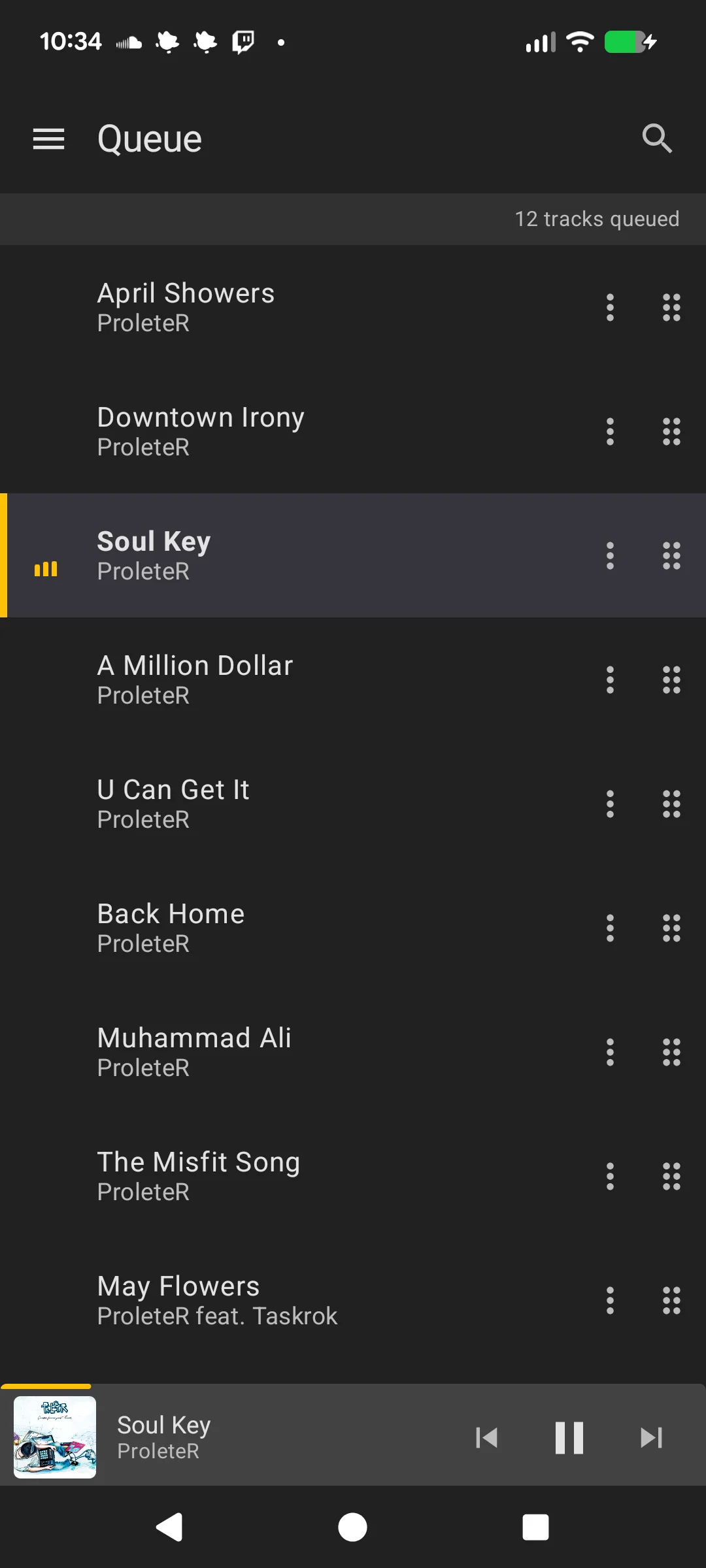
The Queue screen (accessible from the drawer) shows MusicBee's active playing queue:
- Playing indicator: Highlights the currently playing track
- Queue size: Displayed in the header
- Search: Find a track in the queue
- Swipe right: Remove a track from the queue
- Long-press and drag: Reorder tracks
- Pull down: Refresh the queue
The queue refreshes automatically when you navigate to the screen.
Track Actions
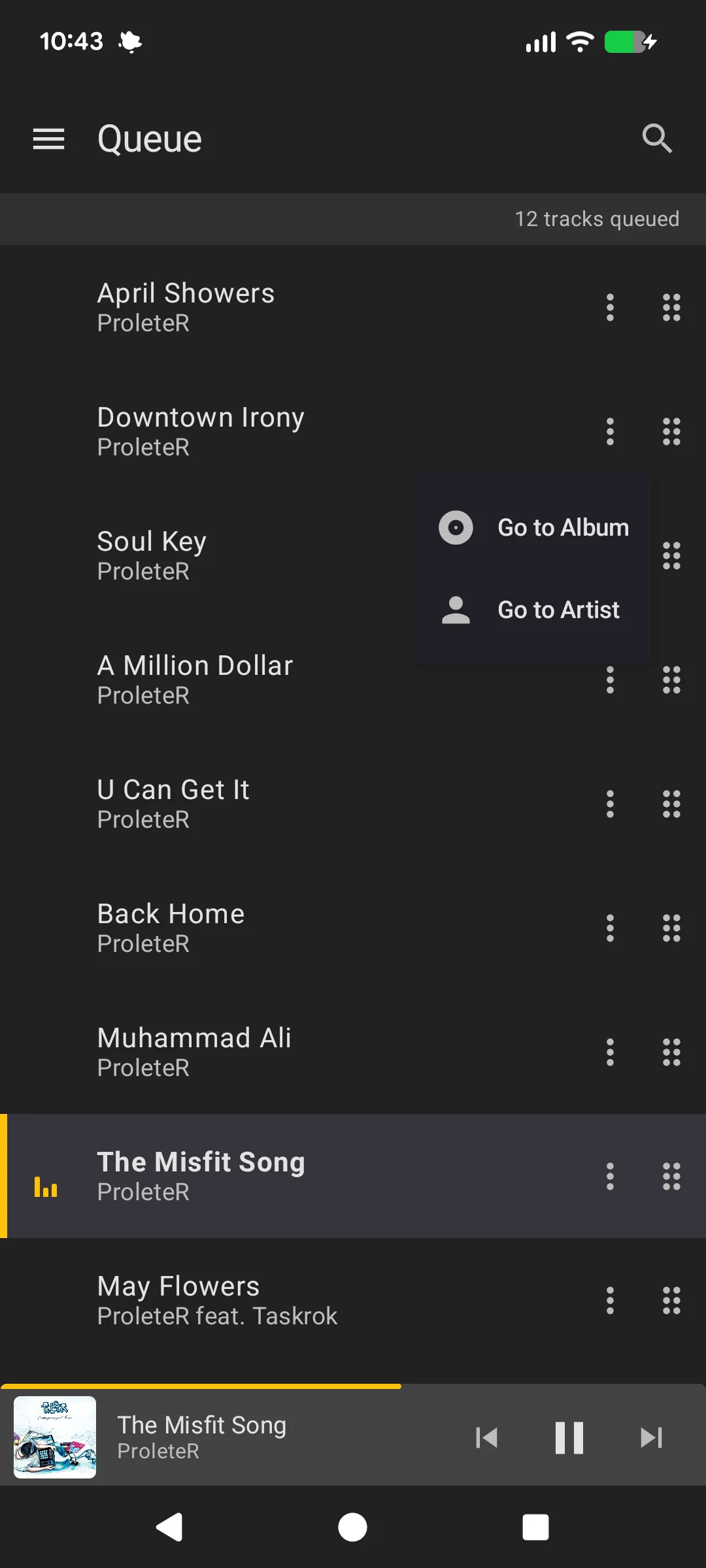
Long-press a track in the queue to access its context menu:
- Go to Album: Navigate to the track's album in the library
- Go to Artist: Navigate to the track's artist in the library